
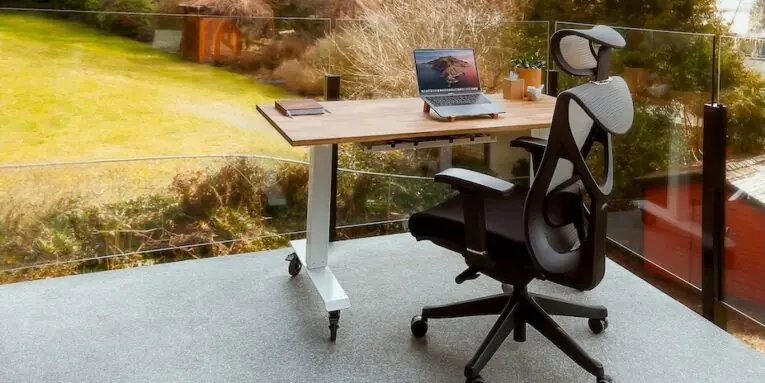
The best chair is the one that fits your body, rather than the one with the flashiest product page. Match your measurements to the available adjustment ranges and you will not have to guess whether a chair will feel comfortable.
Measure your body before you shop
The word ergonomic appears on almost every box and product listing. It has no fixed definition in furniture ads, so the label tells you little on its own. Start with a tape measure and the shoes you normally wear at your desk. You need four numbers: seated floor-to-back-of-knee height, thigh length from backside to back of knee, torso length from seat to shoulder and your weight in work clothes.
Sit on a dining chair with your feet flat and look sideways in a mirror. You are close to a neutral position when your knees and hips sit near right angles and your lower back keeps its slight inward curve. This curve is called lumbar lordosis, and the back support should follow it. No chair can remove every source of discomfort, but the right fit can spread support more evenly throughout the working day.
Desk guides commonly call this the 90-90-90 posture rule.
Set best-of lists aside for a minute. Write down those four body measurements and assess every product page against them before considering style, colour or brand.
Weight and torso length will shape the rest of your choice. Heavier users should check the weight rating and seat width. Longer torsos may suit a taller backrest with more lumbar travel, while shorter torsos need a pad that drops low enough to meet the natural curve.
Match seat height to leg length
Popliteal height sounds technical, but it means the vertical distance from the floor to the underside of your thigh just behind the knee while you are seated, with your feet flat and your knees near right angles. Your chair should go low enough to match it. Look for a specification sheet that lists the full height range rather than only the top height. A low setting near 16 inches may help some adults place their feet flat with their knees close to 90 degrees, but use your own measurement as the guide.
The lift tube beneath the seat maintains that setting. Cheap cylinders can sink gradually or drop when someone sits down. Choose a chair with a rated gas lift cylinder from a tested supplier, and confirm that the base and lift have the same weight rating.
If you cannot try the chair first, stack books to your popliteal height and sit against a wall. If that height feels stable and lets your shoulders remain relaxed, use it as a target when comparing specifications.
Measure in the shoes you wear most often. Sit on a firm, flat seat with your feet flat and your knees near right angles, then measure vertically from the floor to the underside of your thigh just behind the knee. Check both legs and use the shorter measurement as your guide for maximum seat height.
Shorter users may need the lowest chair setting, sometimes with a footrest to keep their thighs level. Taller users may need extra lift and a higher backrest that clears the shoulders. Do not perch on the seat edge to imitate a good fit. Contact with the backrest allows the lumbar support to work as intended.
Get seat depth right to protect circulation
Seat pan depth is a fit point many shoppers overlook. If the seat is too deep, its front edge can press against the area behind your knees. If it is too shallow, much of your thighs may be left without support.
Measure your thigh length and compare it with the listed seat depth. Use a 2-4 finger gap between the seat edge and the back of your knee as measuring guidance when your back is touching the backrest. Shoppers with shorter thighs may need a sliding seat or smaller pan, while taller people may prefer extra depth and a waterfall edge that slopes down at the front.
Do not rely on product photos for this measurement. Sit fully back in the chair and slide your hand behind your knees to check the available clearance directly.
If the chair has a seat slider, set the height first and adjust the depth afterwards. Lock it where your back stays in contact with the backrest without the seat pushing you forward. In a normal sitting position, the front edge should not press noticeably into your legs.
Decide where to shop for value
Begin with specification sheets and narrow the options by source. Direct manufacturers offer full configurations and long warranties, although contract-grade builds can be expensive. Big-box stores are convenient, but check each model carefully for adjustment range and intended use.
If you visit a showroom, wear your usual work shoes and bring your measurements. Sit for ten minutes, adjust the height and depth, then lean back and forward several times. A very short test may not reveal every pressure point.
Furniture liquidators sit between those options. They purchase overstock and off-lease contract furniture in bulk, then pass some of the savings to buyers. Shoppers looking for an ergonomic office chair through that channel may find better frames and controls within the same budget. Review the return policy, condition and warranty terms carefully before buying.
The seat height range and seat depth should be stated clearly. Lumbar travel and the chair’s full weight rating should also be easy to find on the specification sheet.
Some contract-grade chairs include seat sliders and broad arm movement as standard features, while those controls may cost extra on basic models. Compare the individual chair rather than assuming every liquidator model includes the adjustments you need.
Choose lumbar support that follows your spine
A fixed bump on a backrest provides limited adjustment. Your lower spine curves inward, and the position of that curve varies with torso length. A height-adjustable lumbar pad that also moves in and out can be positioned more precisely. A sewn-in bulge does not offer the same adjustment range.
Set the pad so you feel light, even pressure across the lower part of your back. Sit fully against the backrest and add depth a little at a time. You should feel upright without being pushed forward. If the chair has a forward tilt mechanism, try a slight angle during typing and decide whether it suits your position.
Check the setting again after lunch. A pad that felt right at 9 may need a small adjustment by 2.
Many listings show a curved back and describe it as lumbar support. Look beyond the shape and check the stated travel measurements. Adjustable support should list height and depth ranges in inches. Twist knobs or dials offer more control than fixed pads, particularly when users have different torso lengths.
Set armrests and recline for movement
Your shoulders will tell you when the armrests are set incorrectly. If the rests are too high, your shoulders rise towards your ears. If they are too low, you may lean sideways to reach them. Your forearms should rest lightly at desk height with your elbows near 90 degrees.
Look for arms that move up and down as well as forward and back. Side-to-side movement and angle adjustment can also be useful, which is why full 8-way adjustable armrests suit shared desks. Set the width so your elbows stay close to your sides, then test the position by typing for a few minutes. There should be no pinching around your neck.
Holding one static upright posture can tire the back. A recline with adjustable tilt-tension lets you rock back and change position regularly. Lock the chair upright for typing, then open the back by a notch for calls and reading.
Set the tilt-tension so you can lean back without pushing hard. You should feel supported rather than fighting the spring. Change your angle periodically, stand up when convenient and settle into a different recline position.
Think in blocks instead of chasing one perfect posture: upright for focused typing, a slight recline for reading and a brief stand when you get coffee. Regular changes can be more comfortable than holding one position for hours.
Pick materials and build that last all day
Heat can disrupt focus as quickly as a sore back. Breathable mesh on the backrest allows air to pass through during long periods of sitting. A mesh back paired with a firm seat cushion may feel cooler than a fully padded back.
Foam still matters beneath you. Check the stated foam type and firmness rather than judging from appearance alone. Press the cushion firmly with your thumb. It should respond quickly and feel dense rather than soft and airy.
Check the weight capacity instead of focusing only on immediate comfort. The rating should cover the frame and lift together. Treat a missing rating as a warning sign. Look for ANSI/BIFMA X5.1 testing on the specification sheet when comparing chairs intended for daily, full-time use.
Continue through the specifications to the base and casters. Compare aluminium and nylon bases by their stated rating rather than appearance alone. The casters should also match the floor type where the chair will be used. Hard wheels can scratch wood, while soft wheels may drag on carpet.
Mesh can be cleaned by vacuuming dust from the weave each month and wiping the frame with a damp cloth. Keep the chair away from direct sunlight to limit fading and unnecessary exposure of the materials.
Make the chair work with your desk setup
A chair alone cannot create a comfortable working day. Pair it with a desk that allows you to stand for part of the morning and afternoon. A sit-stand desk can make the transition easier, but regular movement breaks still matter.
Set the top of the screen near eye level and roughly an arm’s length away. Keep the keyboard and mouse close enough for your wrists to stay flat. Your chair height and armrest settings should work with the desk layout. If you raise the desk to stand, return it to your seated elbow height when you sit down again. These small resets may ease unnecessary tension around the neck and shoulders.
The surrounding furniture layout also affects comfort. Keep enough desk depth so the screen does not feel crowded and leave room for your forearms to rest naturally. When the layout is cramped, a properly fitted chair may still leave you hunching towards the work surface.
Give the return policy real weight when making your choice. A chair that feels fine for five minutes may become uncomfortable by day three. Look for a seller with a trial or return period that gives you enough time to assess the chair during normal work, and keep the original box until you are confident about the fit.
Use the available trial period before making a final judgement. Adjust one control every few days and note what changes in your working position. Comfort can improve as the chair’s fit and your daily habits begin to line up.
Fit comes first, followed by regular adjustment. That is when a chair stops getting in the way.
People also read this: Top Rated Dynamics 365 Partners for Mid-Sized Manufacturers
