
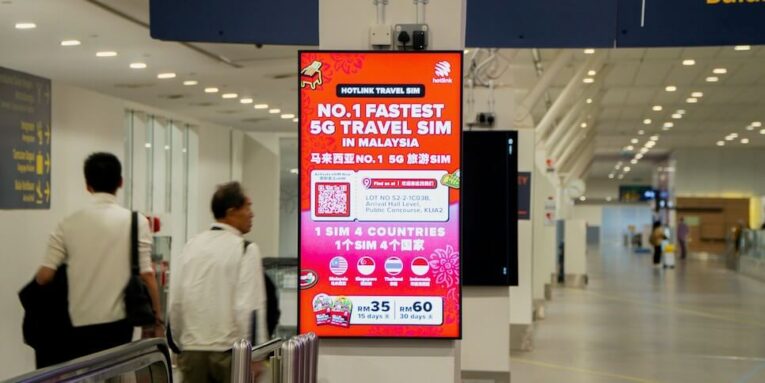
You’ve seen a dazzling screen stop shoppers, guide travelers, and turn menu boards into silent salespeople. But multiply that screen across 20, 200, or 2,000 locations, and the magic often melts into daily firefighting.
Digital signage links every display to a cloud CMS so you schedule Tuesday’s lunch promo once and every café—from Boston to Boise—switches on cue. Scale, however, is ruthless: flaky Wi-Fi, mixed hardware, and time-zone mishaps can black out revenue-critical screens.
Analysts expect the global digital-signage market to hit $30 billion by 2026—about 8 percent annual growth. Real-world studies show dynamic screens lift featured-product sales 20–33 percent and drive 80 percent higher message recall.
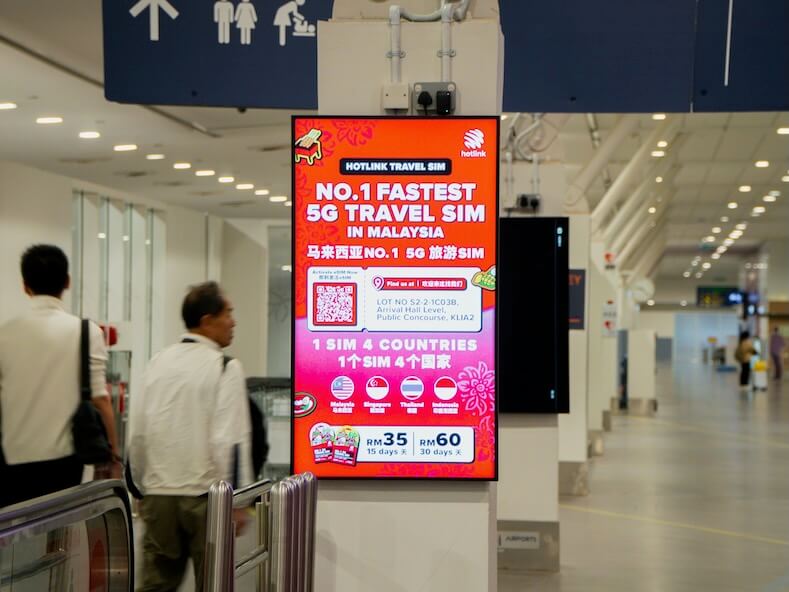
In the pages ahead, you’ll compare seven standout solutions—from plug-and-play SaaS apps to full-service partners—and see how an integrator like TD SYNNEX bundles hardware, software, and nationwide support while cloud leaders such as Yodeck and ScreenCloud give lean teams browser-based control. Let’s find the best mix of robustness, flexibility, and price to keep your brand consistent wherever customers walk in.
Scalability & cloud management
Growth is exciting until your playlist fails to update in Tokyo while you sleep in Chicago. A future-proof platform must scale without drama.
Choose software that lives in the cloud, not a closet. A web dashboard should let you add a screen as easily as adding a user: enter the device ID, assign a location tag, and keep moving. Behind the scenes, the CMS relies on global CDNs, automatic firmware updates, and load balancing so a viral video or regional outage cannot bring the network down.
Time-zone awareness keeps campaigns on schedule. The best tools store a local clock on every player, so your 9 am breakfast promo really launches at 9 am everywhere. Pair that with bulk actions, such as rebooting 500 players after midnight, to keep the fleet healthy while you sleep.
Demand proof of life. Real-time status lights and on-demand screenshots confirm each screen is active and playing the right loop. You replace guessing with knowing.
Get this pillar right and the rest of the checklist (content rules, hardware choice, even cost) falls into place. Scalability is the backbone; everything else is muscle.
Content & playlist control
Great screens fall flat without great timing. You need a CMS that treats playlists like a symphony, not a shuffle button.
Start with simple day-parting. Breakfast menus vanish at 10:59, lunch boards appear at 11:00, and nobody edits a file on site. Layer in regional targeting so a coastal store highlights fresh seafood while land-locked locations spotlight comfort food. Same brand, local flavor.
Emergency overrides matter too. When corporate comms must push a safety alert, the system should bump every other asset, play the notice instantly, and then resume business as usual. No phone calls, one click, immediate compliance.
Look for offline smarts. If a café’s internet drops, cached content keeps looping, customers keep ordering, and you stay calm. The next time the player connects, queues sync, analytics report in, and no one saw the hiccup.
In short, precise scheduling turns digital signage from wallpaper into a real-time storyteller. Control the clock, own the narrative, and each screen speaks the right message at the perfect moment.
Hardware compatibility
Screens come in more flavors than coffee orders. Some locations inherit aging Windows players, while new builds run Samsung or LG panels with built-in processors. The last thing you need is a CMS that plays favorites.
Choose software that speaks fluent Windows, Android, Linux, webOS, and Tizen. This flexibility lets you reuse gear you already own, trial low-cost sticks in pilot stores, and add all-in-one smart displays when budgets allow.
System-on-Chip panels deserve a special nod. By hosting the player inside the screen, they cut cables, power bricks, and failure points. Your IT crew will thank you. Just confirm the CMS can push firmware and security patches to those embedded players, or your tidy install becomes a hidden risk.
Think about the edge cases as well, such as video walls, 4K portrait kiosks, and weatherproof outdoor LEDs. A mature platform auto-detects resolution, orientation, and bezel compensation so content fits without late-night editing. Support a wide range of hardware now, and future expansions stay painless.
If wrangling that device mix feels daunting, TD SYNNEX’s ServiceSolv Field Services can audit your fleet, pre-stage the right players, and dispatch technicians for on-site installation.
The published catalog lists digital-signage deployment, professional A/V, cabling, and on-site configuration—exactly the tasks that bog multi-brand rollouts—so chains keep every location on the same spec without flying corporate staff store to store.
Ease of use vs. enterprise controls
A screen network thrives only when people enjoy the tool. Your frontline marketer must schedule a promo in minutes, while your security lead enforces single sign-on and audit trails. The sweet spot blends both needs without bloat.
Start with the dashboard. Is the layout clean? Can you drag a template, drop an image, and preview a playlist in fewer than five clicks? If not, adoption slips and screens go stale.
Next, lift the hood. Enterprises need user roles, content approvals, and API endpoints. They also need playback proofs such as time-stamped logs that show a compliance slide aired when regulators ask. A polished platform keeps this power tucked away until you summon it, so advanced users cheer and casual users stay relaxed.
Onboarding should fit into a coffee break, not a classroom day. Short videos, in-app hints, and live chat turn first-timers into confident publishers before the caffeine wears off.
Aim for simplicity at the surface and depth on demand. When you strike that balance, everyone from store managers to CTOs calls the software easy, and that is the best insurance for long-term ROI.
Cost transparency & total ownership
Price sheets can look friendly until fine print piles on. Focus on total ownership, not teaser fees.
First, map the basics: license per screen, billed monthly or annually. Annual contracts usually shave 10 to 20 percent, so locking in a stable network can fund an extra player or two.
Next, hunt for add-ons. Some vendors charge for premium templates, extra cloud storage, or advanced analytics. Others require proprietary media players that cost more than the screen itself. List every must-have feature—offline playback, role-based access, support SLAs—and confirm they live in your tier.
Hardware drives hidden costs too. A fifty-dollar streaming stick sounds dreamy until it fails in a hot drive-thru enclosure. Spending one-hundred-fifty on an industrial player that lasts five years can be cheaper than swapping bargain gear every summer.
Finally, budget for people time. A system that saves an hour per store each week quickly offsets a higher license fee. Factor training, content creation, and troubleshooting into your math, and you will see the real winner.
When vendors stay crystal-clear on pricing and you stay brutally honest about labor, surprises vanish and ROI comes into focus fast.
Security & support
Screens carry your brand and, at times, your data. Leaks or downtime are not an option, so security and vendor backup must be airtight.
Start with access control. Role-based permissions stop a well-meaning intern from swapping prices across the chain. Tie logins to single sign-on and the sticky-note password problem disappears.
Data in transit should travel through TLS tunnels, and content at rest belongs behind encryption keys. Ask the vendor to list compliance frameworks—PCI for retail, HIPAA for healthcare, ISO standards for everyone else. If they hesitate, keep looking.
Next, verify the safety net. Does the provider watch player heartbeats 24/7? Will a real human call when a flagship store goes dark at 9 pm? Fast response beats fancy features once a screen stops earning.
Finally, test failover. Players need local storage to keep looping if the internet sputters. Some platforms add cellular or satellite links for remote sites, so even a snow-snapped fiber line will not black out your message.
Strong security earns trust from the C-suite. Reliable support buys you sleep. Combine both and your signage network becomes a quietly humming asset, not another IT fire drill.
Seven solutions at a glance
You have a clear checklist in hand. Before we explore individual stories, let’s zoom out and see how the market leaders compare.
The table below distills the essentials, covering deployment style, entry price, signature strengths, and the scenario where each option shines. Use it as a quick filter. If a row feels right or wrong for your rollout, you save hours of demos.
| Solution | Deployment | Starting price* | Key strengths | Best for |
| TD SYNNEX (Integrator) | Turnkey hardware + software | Quote | One-stop sourcing, nationwide install teams, multi-vendor flexibility | Enterprise rollouts needing full AV support |
| Yodeck | Cloud SaaS | Free (1 screen) / ≈ $8 per screen | Easy web UI, Raspberry Pi players, granular scheduling | Franchises and SMBs scaling on a budget |
| ScreenCloud | Cloud SaaS | ≈ $20 per screen | Large app library, device management dashboard, SSO | Mixed-hardware fleets in retail or offices |
| OptiSigns | Cloud SaaS | Free (≤ 3) / ≈ $10 per screen | 160+ content apps, true free tier, campaign tools | Cost-conscious teams that love templates |
| Appspace | Cloud / On-prem | Quote | Workplace integrations, approval workflows, room panels | Large corporates blending signage and comms |
| Samsung MagicINFO | Hybrid | Panel license | Runs on SoC displays, device health alerts, video-wall sync | Networks standardizing on Samsung screens |
| Hughes MediaSignage | Cloud SaaS + hardware | Quote | Manages thousands of endpoints, live screenshots, satellite backup | Highly distributed QSR, banking, and government fleets |
*Prices shown are typical published rates or public benchmarks. Always confirm current licensing with the vendor or channel partner.
Skim, shortlist, and keep reading. In the next sections you will see each solution’s real-world edge so you can choose with confidence.
TD SYNNEX: turning complexity into a one-stop rollout
Imagine a single partner who sources every display, pre-configures each media player, ships kits to 300 stores, and schedules certified installers so every grand opening stays on track. That is the daily work of TD SYNNEX’s business audiovisual solutions team.
TD SYNNEX business audiovisual digital signage solutions webpage screenshot
Rather than selling you another CMS log-in, TD SYNNEX acts as the glue that joins hardware, software, and ongoing support. As a value-added distributor, the company carries nearly every major display and player brand. You pick the mix—Samsung SoC screens for menu boards, Windows boxes for a data wall—then wrap it in the CMS you already use or the one TD SYNNEX recommends.
The payoff shows up as uptime. Cabling arrives to spec, content caches load before a store opens, and local technicians stay on call if a screen misbehaves. Marketing pushes new playlists from headquarters, confident each location meets the same standard.
TD SYNNEX also speaks IT’s language. Need proof that a safety video played in every warehouse last Friday? Device logs feed straight into your compliance dashboard. Worried about a player going down during lunch rush? Automated alerts surface the issue before the store manager notices.
By outsourcing the heavy lifting to an experienced integrator, you spend less time herding vendors and more time creating content that moves the revenue needle.
Yodeck: cloud simplicity with power-user tricks
Ask any fast-growing franchise how it rolled out 50 screens on yesterday’s budget and you may hear one name: Yodeck. Sign up, flash a $35 Raspberry Pi card, and your TV greets you with a pairing code before the coffee finishes brewing.
The web dashboard feels like Canva meeting Google Calendar. Drag a promo, stretch a ticker, and drop a weather widget in real time. Scheduling drills down to the minute yet stays friendly. Want breakfast menus to auto-switch at 11 am local time across five time zones? Select the rule and move on.
Yodeck digital signage dashboard and product homepage screenshot
Yodeck shines at monitoring. Snapshots show exactly what each player displays right now. One glance confirms Atlanta’s lobby loop is live while Denver needs a reboot. Trigger that reboot remotely, queue an updated playlist, and your brand stays in sync without phone calls.
Affordable, approachable, and quietly robust, Yodeck proves that small teams can manage a nationwide network with enterprise polish.
ScreenCloud: flexibility meets enterprise discipline
ScreenCloud is the Swiss Army knife of signage software. Plug in an Amazon Fire Stick, an LG webOS display, or a rugged Windows box and you will find a ready-made player app. This breadth frees you from rip-and-replace projects and lets the network grow at its own pace.
Once devices check in, the work happens in two tabs: Content and Devices. The Content tab is marketer-friendly. Dozens of prebuilt apps pull live data from Instagram, Google Slides, or Power BI, so dashboards and social walls update themselves. Drop assets into playlists, slot them into channels, and publish in minutes.
Switch to Devices and the IT department smiles. Every player’s health, firmware version, and last heartbeat appear on one grid. Need to reboot screens in the Southeast region? Filter by tag, select Restart, and move on. Role-based access keeps local managers editing their own screens while headquarters protects brand consistency.
The platform speaks both languages: creative speed for content teams and granular governance for enterprise admins. That balance makes ScreenCloud a strong choice when you run mixed hardware today and need tighter security tomorrow.
OptiSigns: big features on a starter budget
OptiSigns shows you do not need deep pockets to look polished. Its headline draw is a free-forever tier for up to three screens, ideal for pilots or that lone welcome display in reception. When you outgrow free, the jump to about ten dollars per screen still feels light on the wallet.
Affordable does not mean underpowered. The platform offers more than 160 plug-and-play content apps, from Instagram feeds to live weather and QR code menus. Grab a template, swap your logo, and the screen feels agency-designed without the invoice.
Campaign tools add finesse. Build a playlist once, schedule it by calendar or local weather, and let automation do the work. A sunny afternoon triggers iced-drink promos, while a chilly forecast swaps in soup specials with no manual effort.
Device support keeps budgets happy as well. OptiSigns runs on low-cost Fire TV sticks yet scales to commercial Android players when you need 4K video all day. Remote monitoring shows player status, allowing bulk reboots or updates before anyone notices a blank screen
For small and midsize teams chasing professional results without sticker shock, OptiSigns delivers robust features and plenty of runway to grow.
Appspace: where workplace comms and signage converge
Digital signage often lives with marketing, but Appspace reminds us that employees are an audience too. Built to connect with SharePoint, Teams, and room-booking panels, the platform turns every screen into a multitasker that shows corporate news one minute and a touch-friendly booking interface the next.
Channels keep messages tidy. Headquarters publishes a global stream—CEO updates, safety reminders, brand campaigns—while regional HR layers in local announcements. Approval workflows ensure nothing rogue slips through, satisfying strict compliance teams.
Security runs deep. Choose pure cloud for speed or spin up a private instance behind the firewall when regulations demand it. Either way, single sign-on and role controls earn quick approval from IT and make audits simple.
For organizations seeking a unified employee-experience stack—signage, kiosks, room panels, even a mobile app—Appspace is less a point solution and more a digital workplace hub.
Samsung MagicINFO: hardware and software in perfect sync
Standardizing on Samsung commercial displays unlocks a neat trick: the player lives inside the panel. MagicINFO is the conductor, orchestrating those built-in processors so you skip external boxes, loose cables, and mystery power bricks.
Samsung MagicINFO digital signage software solution webpage screenshot
This tight integration pays off in reliability. If a screen overheats or loses signal, MagicINFO sends an alert before customers see a black rectangle. You can also schedule power cycles to extend panel life and trim utility bills, useful when you manage hundreds of storefronts.
Content scheduling is precise. Multi-panel menu boards flip from breakfast to lunch in perfect unison, and rules adjust playlists by weather, inventory, or time of day. Because Samsung engineers both the firmware and the CMS, updates land together and reduce the “it worked yesterday” surprises that plague mixed fleets.
The trade-off is ecosystem commitment. If you already own LG or Sharp panels, MagicINFO will not manage them. For chains that choose Samsung’s Smart Signage Platform, though, the cohesion delivers a rock-solid, single-vendor solution that keeps screens bright and headaches dim.
Hughes MediaSignage: enterprise uptime without the drama
Fast-food menus, bank lobbies, and hospital corridors rely on screens that cannot go dark. Hughes MediaSignage was built for those stakes. From one cloud dashboard you can govern thousands of endpoints, push a late-night promo, and confirm success with real-time screenshots of any screen on the network.
Reliability starts at the edge. Each Hughes player stores content locally, so if a store’s internet drops, the playlist keeps rolling. For remote sites, optional satellite or cellular links deliver updates when terrestrial lines fail. Competitors may scramble with USB sticks; your network keeps earning.
Scale demands oversight, and Hughes provides it. Health metrics such as CPU temperature, download status, and screen power feed into a single portal. Set thresholds and the system alerts you before a menu board overheats or a player’s storage fills. Proactive fixes replace reactive field calls, protecting budget and brand image.
Because Hughes designs both the hardware and the managed service, you get a tight bundle: hardened media players, round-the-clock monitoring, and field technicians who know the gear. For sprawling chains that measure success in zero blank screens, that single-vendor accountability is a strong advantage.
Implementation best practices and potential pitfalls
Plan for content strategy
Screens fail silently when nothing fresh appears. Before you unpack a player, map the stories each location should tell.
Start with a simple calendar. Pencil in evergreen content such as welcome loops, loyalty promos, and safety reminders, then layer time-sensitive campaigns like holiday menus, regional events, or flash sales. Assign an owner for every slot so accountability is clear.
Design for distance. Large fonts (at least 24 pt), high contrast, and tight focal points beat pretty but unreadable slides. Test layouts on a real screen from the customer’s viewing spot. If you squint, rewrite.
Build a refresh rhythm. Weekly tweaks keep playlists relevant, while quarterly overhauls prevent visual fatigue. Automate wherever possible by pulling live social feeds or pricing from a database, and schedule manual reviews so outdated assets never linger.
With a living content roadmap, your network stays purposeful and blank screens become relics of the USB shuffle era.
Network and hardware discipline
A great message still fails if the Wi-Fi drops. Run Cat6 or better cabling wherever walls allow, and reserve wireless only for screens that cannot reach Ethernet. In busy kitchens or factory floors, pick rugged metal-cased players rated for at least 113 °F (45 °C); plastic sticks soften under heat lamps and forklifts.
Standardize whenever possible. Rolling out the same screen and mount model across locations cuts install time and simplifies spare parts. When variety is unavoidable, tag each device type in the CMS so you can filter firmware pushes and troubleshoot quickly.
Secure the gear. Lock players in ceiling plenum boxes or behind service panels, route power through battery backups, and label every cable. These small steps prevent the classic “someone unplugged it to charge a phone” outage. Treat signage like mission-critical infrastructure, because it is.
Local ownership and central control
Who pushes the buttons matters as much as which buttons exist. A clear governance model prevents the blame game when a screen shows outdated content.
Let central marketing own brand assets and nationwide promos. Give local managers a sandbox—perhaps one zone on the layout or a daily 30-minute slot—to highlight community events or store-specific offers. That blend keeps consistency while allowing neighborhood flavor.
Use the CMS permission tiers to enforce the split. Local edits should not overwrite national pricing, and corporate overrides must take priority during emergencies. Document the workflow, train both sides, and celebrate when it works.
When roles are explicit, updates flow smoothly, accountability sticks, and every screen speaks with the right voice at the right moment.
Training and ongoing support
Even the best CMS becomes shelfware if people worry about breaking it. Schedule brief, hands-on sessions before launch. Let staff upload a slide, schedule it, and watch it publish in real time. Muscle memory beats lecture slides.
Designate at least one screen champion in every region. That go-to person answers quick questions, resets frozen players, and escalates real issues to the vendor. With a local hero, small hiccups never snowball into network-wide outages.
Hold vendors accountable with a clear SLA such as 30-minute response and four-hour resolution. Pair that promise with proactive monitoring and you will spend more nights sleeping than rebooting.
Content testing and pilot runs
Treat the first few locations as a living lab. Before you commit to a chain-wide launch, install the full stack—screens, players, and network—at two or three representative sites.
Observe real conditions. Note how sunlight hits each display, where foot traffic pauses, and whether motion graphics distract or delight. Ask frontline staff if the font is readable from the counter, then adjust brightness, loop length, or color palette on the spot.
Collect metrics. Compare promo-item sales with and without the new screens. If a menu flip raises dessert add-ons by ten percent, you have quantifiable proof for the boardroom.
After this technical, visual, and financial shakedown, green-light the rollout schedule. Pilot first, refine fast, and then scale with confidence.
Hidden costs and licensing
Sticker price tells only half the story; the real bill appears when you scale.
Start with license math. A platform quoting five dollars per screen climbs quickly if templates, extra storage, or analytics sit behind separate paywalls. List every must-have feature, note which tier unlocks it, and model costs at 10, 100, and 1,000 screens.
Hardware lock-in is another quiet expense. Proprietary players, mandatory capture cards, or brand-specific cables can double deployment budgets and slow repairs. Favor software that runs on commodity devices and publishes a clear compatibility list.
Do not overlook network fees. Cellular backups and VPN tunnels often charge by the gigabyte; a single 10 GB 4K video pushed to 300 stores can add several hundred dollars overnight. Compress wisely and schedule heavy downloads for off-peak hours.
Run a pilot and tally every dollar—licenses, gear, bandwidth, and labor—then project the five-year spend. Transparent math now prevents budget shocks later.
Conclusion: keep every screen shining everywhere
Digital signage has moved from USB sneaker-net to real-time orchestration. Whether you run five cafés or five thousand bank branches, the goal is the same: zero downtime, consistent storytelling, and measurable lift.
Small teams thrive with cloud tools such as Yodeck or OptiSigns, while large enterprises lean on TD SYNNEX for integration muscle, Appspace for workplace focus, or Hughes for ironclad networks. No single platform wins for everyone; the best choice aligns with your scale, hardware mix, and governance style.
List your must-haves now: screen count, content cadence, security rules, and integration needs. Short-list two or three vendors from the comparison table and launch a pilot. Measure results, refine workflows, and watch sales or employee engagement climb.
If the rollout feels daunting, bring in an AV integrator to unite hardware, software, and on-site support. That partnership turns complexity into a turnkey deployment and lets you focus on creative that drives revenue.
Dynamic signage can lift featured-product sales by more than 20 percent and boost message recall by 80 percent. With the right platform, those gains appear everywhere your logo lights up—day after day, screen after screen. Let’s make every pixel count.
People also read this: How Implementing a Full Stack Marketing Agency Transforms Marketing Strategy
